How to Connect Instagram to Mailchimp and Klaviyo with Hypello
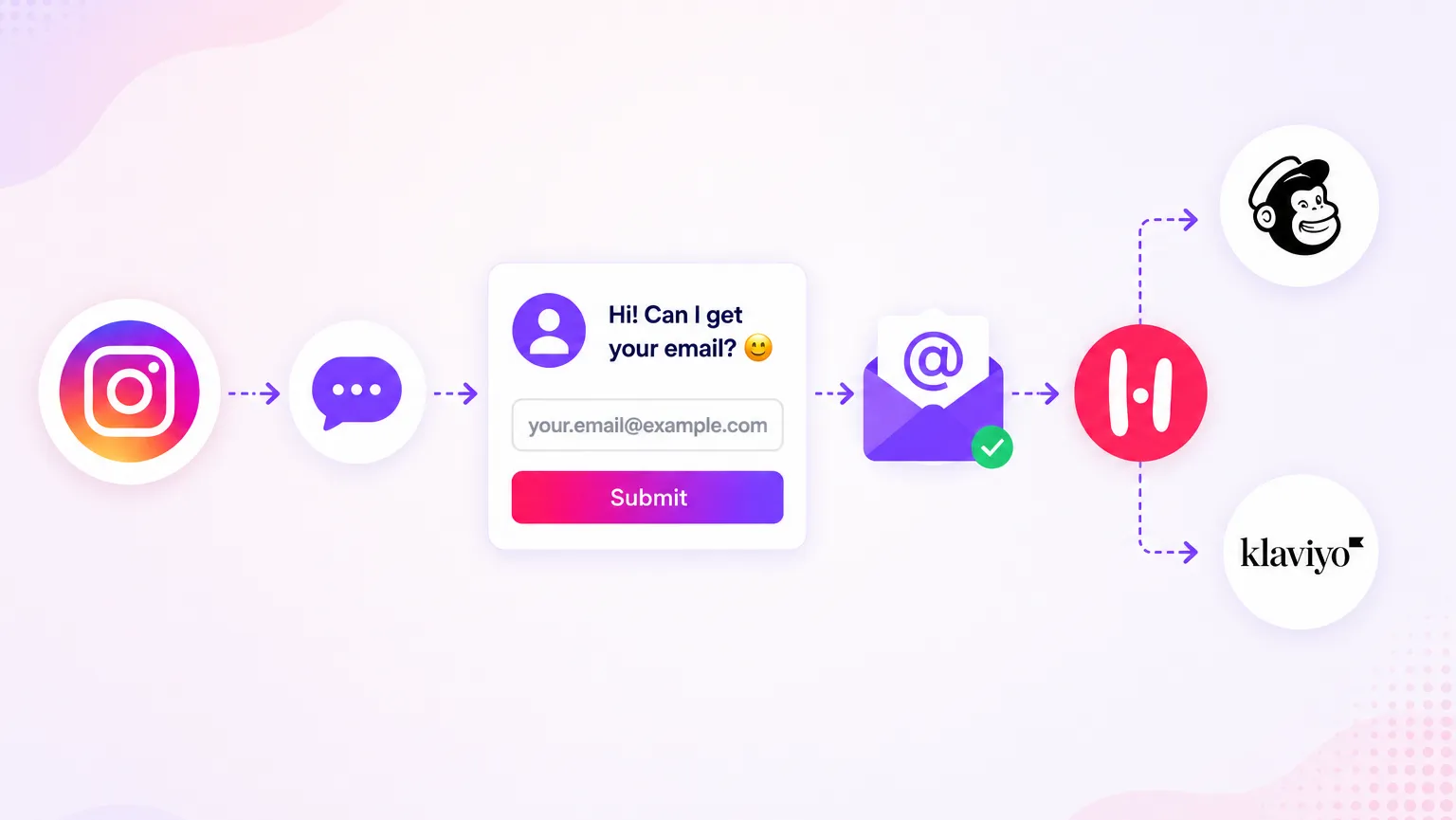
When we built Hypello, we were obsessed with one problem: Instagram comments were dying in the feed. Someone would engage with a post, and that engagement would just... evaporate. No follow-up, no capture, no way to reach that person again. So we built the fix ourselves — and then we figured we should probably write about how it actually works.
The Comment Graveyard Problem We Kept Seeing
We talk to a lot of Instagram creators and brand owners, and one thing comes up constantly. They are posting consistently, their engagement looks decent, people are commenting — and yet their email list is not moving. They have thousands of followers and a few hundred subscribers, and the gap between those two numbers keeps bothering them.
Here is what is actually happening. Every comment on an Instagram post is a real person who paused their scroll, felt something about the content, and took the effort to respond. That is a warm lead, genuinely. But without a system to follow up, that warmth just fades. The algorithm moves on, the person moves on, and the brand is left with a comment count that looks good in a report but does not translate into anything useful.
We saw this pattern so often that it became one of the core problems we wanted Hypello to solve. In this post you will learn exactly how we set up the automation that connects Instagram comments to Mailchimp and Klaviyo, so every comment your posts receive has a real shot at becoming an email subscriber.
Why We Built on the Official API (and Why That Matters for You)
Before getting into the setup, we want to be upfront about something because we think it matters. Hypello runs on Meta's official Instagram Graph API. We did not take any shortcuts here. No session scraping, no third-party browser automation, no grey-area workarounds.
We made this decision early because we watched too many tools get users banned, and we did not want to build something people would be afraid to use. When Meta started cracking down harder on unofficial automation in recent months, our users were largely unaffected because they were already operating within the permitted boundaries. That is the foundation everything else is built on, and it is worth knowing before you connect your account to any tool.
What You Need Before Starting
To follow this setup you will need an active Hypello account, an Instagram Business or Creator account, and at least one of Mailchimp or Klaviyo already set up with a list you want to grow. Keep those accounts open in another tab as you work through the steps below, because you will be jumping between them a few times.
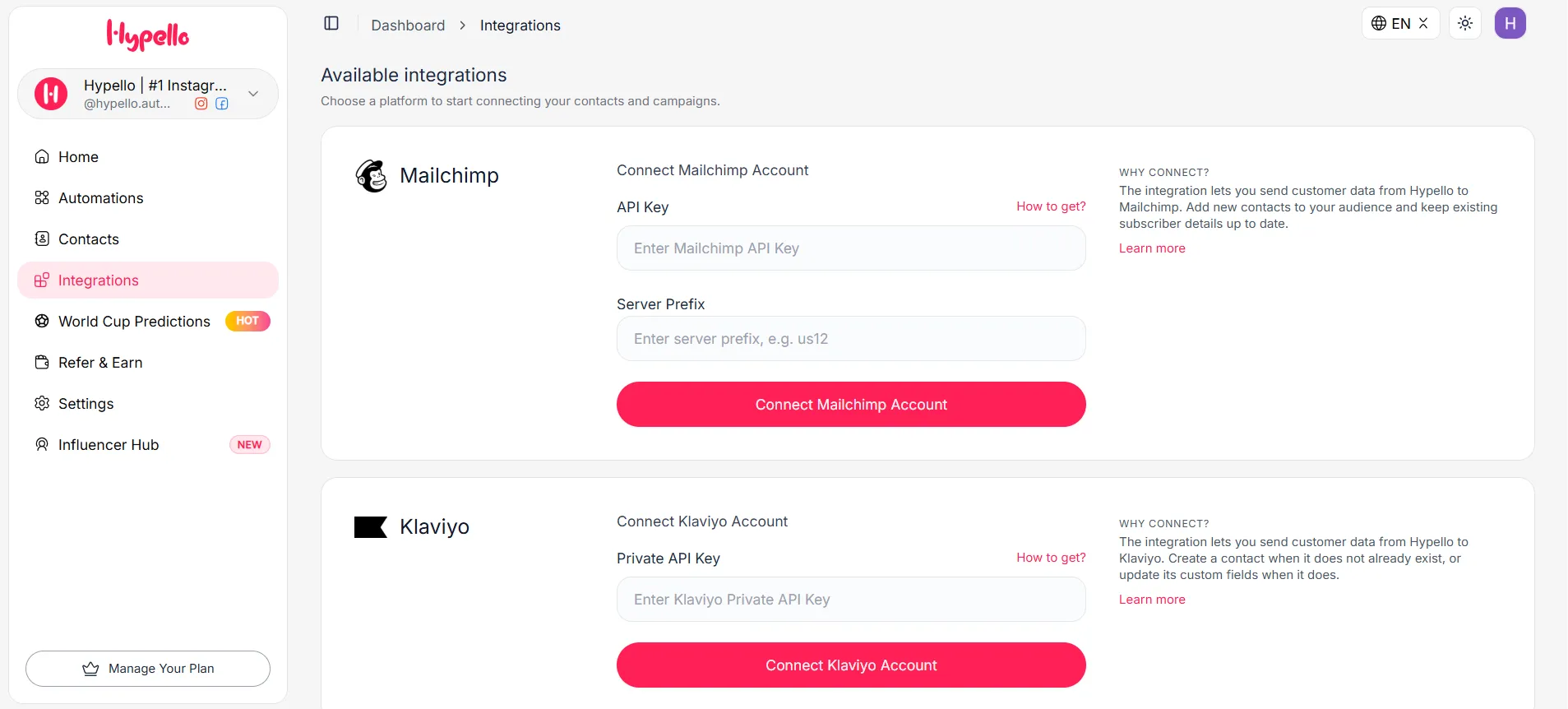
The Hypello integrations tab section before connect with mailchimp and klaviyo.
Connecting Mailchimp — Here Is How We Do It
The first thing we do is grab the API key from Mailchimp. Log into your Mailchimp account, click your profile icon in the bottom left, and go to Account and then Extras, where you will find the API Keys section. Hit Create A Key, give it a label you will recognise later — we usually write something like "Hypello Integration" — and copy the key immediately, because Mailchimp will not show it to you again once you navigate away.
Now head to your Hypello dashboard and open the Integrations panel. Select Mailchimp, paste the key you just copied, and save. Hypello will validate it on the spot and that connection is done. from the automation create/edit section you can pull in all your existing Mailchimp audiences so you can choose which list new subscribers should land in. Pick your list, save the settings.
Connecting Klaviyo — Slightly Different but Just as Fast
Klaviyo works the same way conceptually, but the key lives in a different spot inside their interface, which trips people up the first time. Go to Settings in your Klaviyo account, then to API Keys, and look specifically for the Private API Keys section — not the public key, the private one. Create a new private key and give it full access permissions, because Hypello needs to both read your existing lists and write new contacts to them. Copy the key.
Back in Hypello's Integrations panel, select Klaviyo, paste the private key, and save. Your Klaviyo lists will appear in automation create/edit section and you can choose where new subscribers from this automation should go. If you want to run both integrations at the same time — routing some subscribers to Mailchimp and others to Klaviyo based on which post they commented on — you can have both active simultaneously with no conflict.
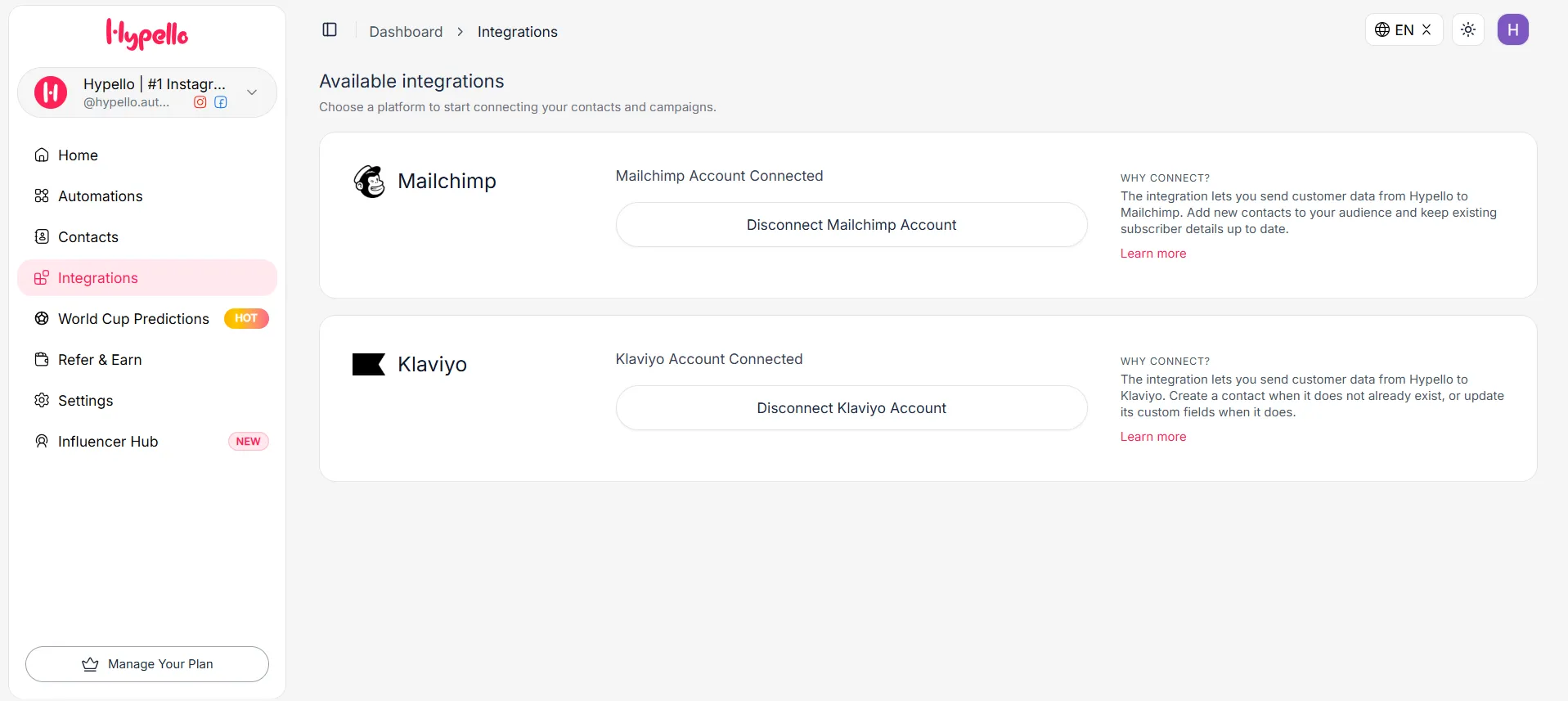
The Hypello integrations tab section after connect with mailchimp and klaviyo
Building the Comment-to-DM Automation
This is the part we find most satisfying to set up, because the moment it clicks you can immediately see how the whole thing will work. In Hypello, go to Automations and create a new one. The trigger you want is Instagram Comment, and from there you choose which post to watch. You can point it at a specific post — useful if you are running a campaign or a giveaway where you want to capture everyone who participates — or you can set it to apply to all your posts going forward.
Once the trigger is set, you add a Send DM action. This is the message that goes out automatically to every person who comments. We have tested a lot of variations of this message and the ones that work best are short, warm, and feel like they came from a real person — something along the lines of:
"Hey, thanks for the comment! We would love to send you more on this topic, what is your email address?"
That lands well because it does not feel like a bot. You can also add an optional follow-up: if someone comments but does not reply to the DM within a window you set, Hypello can send a gentle second message. In our experience, adding that follow-up step meaningfully improves how many people complete the flow.
Mapping the Data So Subscribers Arrive Properly
Once someone replies to the DM with their email, Hypello captures it and gets ready to pass it to your email platform. But before it does, you get to configure how that data is mapped so the contact arrives in your list properly labelled and formatted rather than as a blank entry with just an email address.
In the automation settings there is a Data Mapping section where you connect Instagram fields to your list fields. The most useful mapping we set up is Instagram display name to the First Name field in Mailchimp or Klaviyo, so that the welcome email your new subscriber receives can address them by name rather than opening with a generic greeting. We also tag every subscriber who comes through this flow with a source label, usually something like "ig-comment-automation," so that later on we can pull a segment and see exactly how many people on our list came from this channel and how they behave compared to subscribers from other sources.
Once that is saved, the automation is fully live. Every comment triggers a DM, every DM reply becomes a subscriber, and every subscriber lands in your list with the right name and tags already in place.
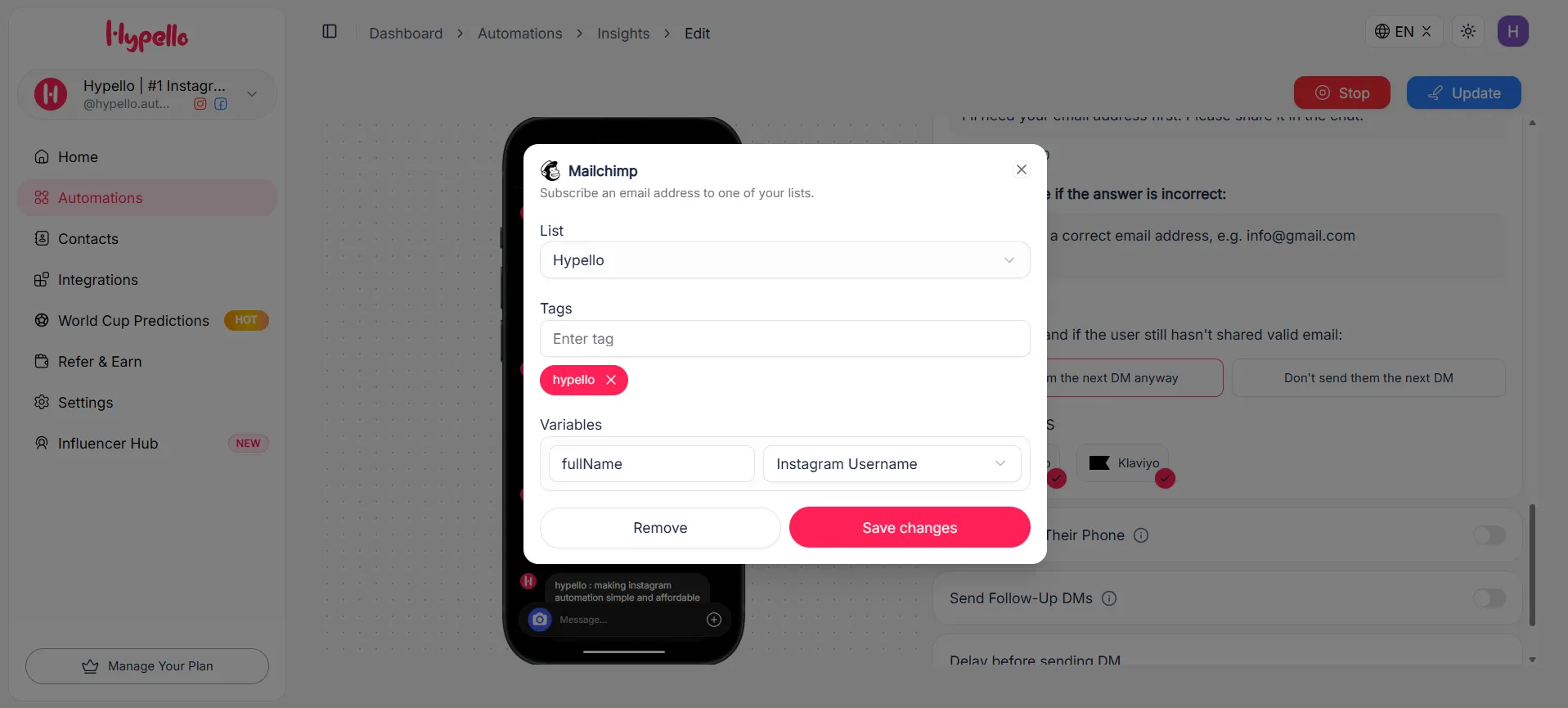
The mailchimp configuration section
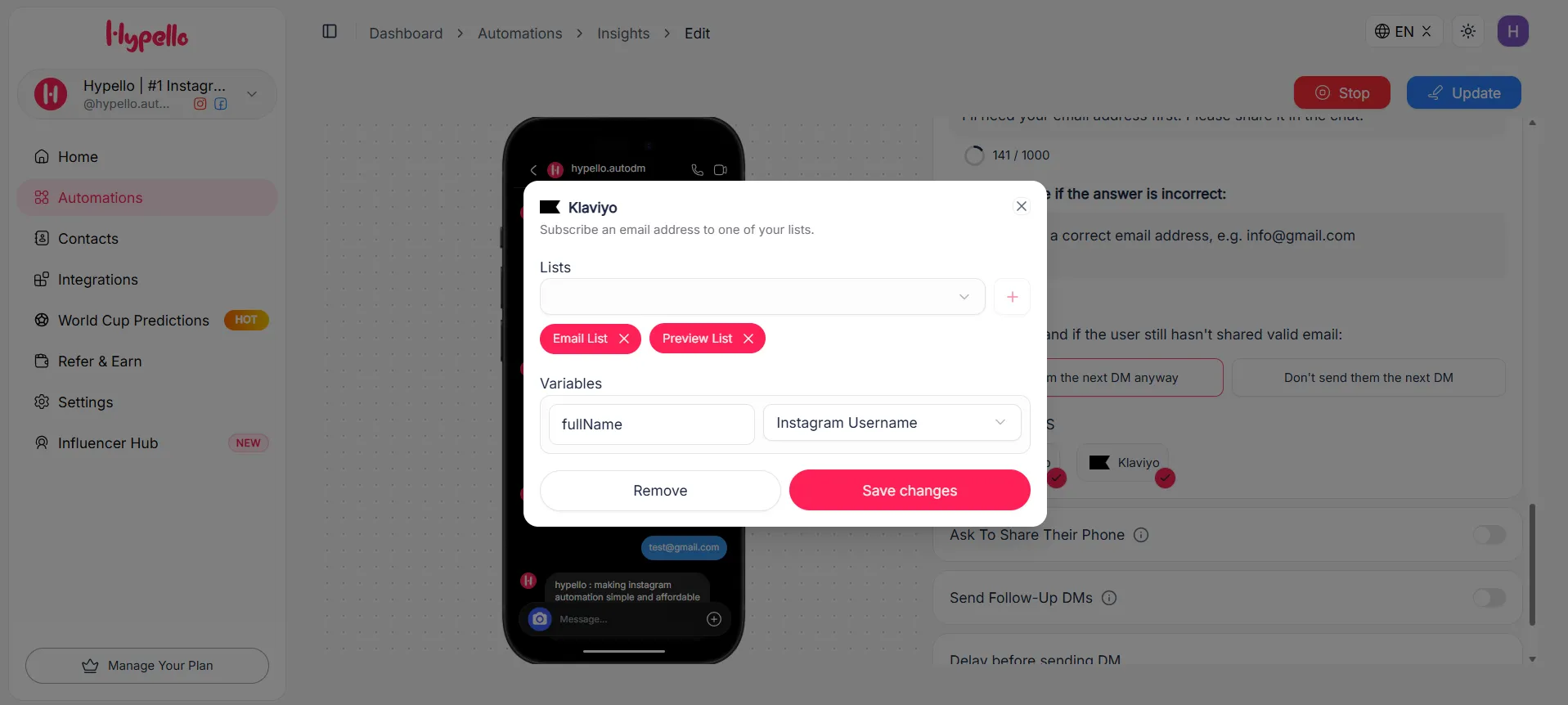
The klaviyo configuration section
What It Feels Like From the Other Side
We always think it helps to walk through the experience from the commenter's perspective, because that is where the magic either lands or falls flat. Someone sees your post, comments something genuine, and within seconds gets a DM from your account that responds to their comment and asks a simple question. It feels personal because the timing is immediate and the message is short and human. They reply with their email, and that is it — they are in your list, tagged, and heading into whatever welcome flow you have set up in your email platform.
From your side, you did nothing after the initial setup. Whether it is the middle of the night or you are in back-to-back meetings, every comment on that post is being handled the same way, at the same speed, with the same message quality. That consistency is genuinely hard to replicate manually even with a dedicated team, and it is completely impossible to replicate alone.
If you are already using Hypello for other Instagram DM workflows — answering FAQs, handling support questions, or booking calls — this comment-to-email automation runs alongside all of that without interfering, since each automation is scoped to its own trigger and post selection. You can read more about how to structure multiple DM flows together in our post on building an Instagram DM funnel with Hypello.
Honestly, Manual Collection Just Does Not Work
We want to be real about this. We have talked to brand owners who told us they were going to do this manually — check comments every morning, send DMs personally, copy emails into a spreadsheet. A few of them even stuck with it for a week or two. None of them stuck with it for a month. The workflow sounds manageable until you have twenty posts running simultaneously and a hundred comments coming in on a good day.
Beyond the volume problem, there is the timing problem. A DM that arrives thirty seconds after a comment catches someone while they are still thinking about your content. A DM that arrives the next morning is reaching someone who barely remembers commenting, and the conversion rate reflects that. Automation is not just more convenient than manual collection — it is genuinely more effective because it responds in the moment when intent is highest.
Putting It All Together
The full setup — connecting Mailchimp or Klaviyo, building the comment trigger, writing the DM, mapping the subscriber data — takes about fifteen minutes the first time and runs on its own after that. What you get on the other side is a system that treats every comment on your Instagram posts as an entry point into your email list, handled automatically, consistently, and fast.
If your Instagram content is already generating comments but your email list is not growing alongside it, this is the piece that is missing. You can get started at hypello.com and find the full video walkthrough linked below if you want to follow along visually.