How Hypello connects to Meta
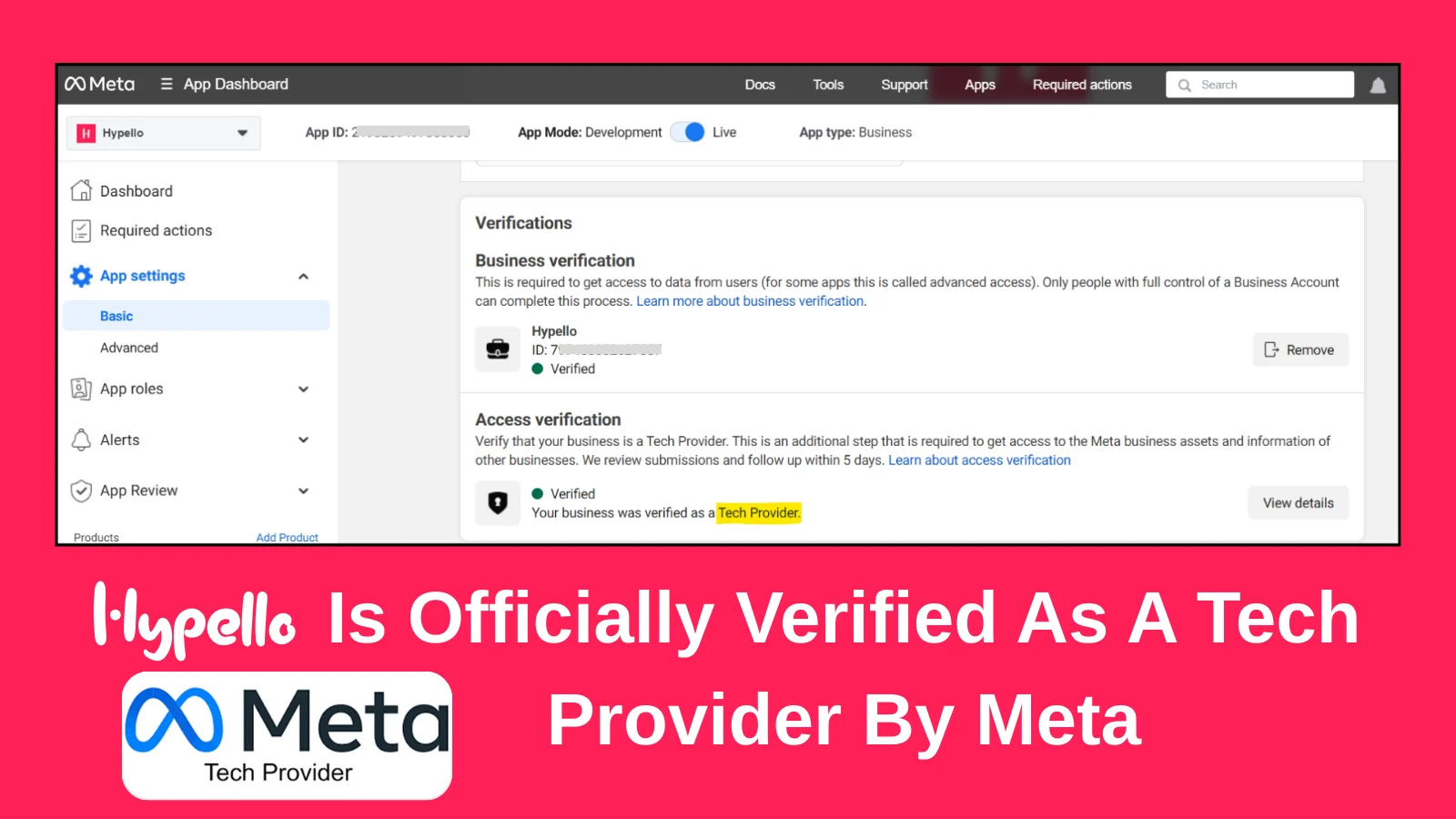
Hypello is a Meta Tech Provider. Meta has verified our business and confirmed our Tech Provider status, and Hypello reaches your Instagram and Facebook accounts only through Meta's official API, with the permissions listed on this page.

Verification
What Meta has verified
Business verification
Verified
Verified on November 5, 2025
Meta checked Hypello's business details and documents and confirmed Hypello's identity as a registered business.
Meta's guide to business verificationAccess verification
Verified as a Tech Provider
Meta reviewed why Hypello needs access to the Instagram and Facebook accounts that other businesses connect to it, and confirmed that Hypello operates as a Tech Provider.
Meta's guide to access verification
Permissions
The permissions Meta approved for Hypello
These are the only Meta permissions Hypello asks for. Apart from public_profile, which every app has by default, Meta approved each one through App Review. Meta shows you the same list on its own screen before you connect.
Instagram Login
Used when you connect an Instagram professional account. You sign in on Instagram's own screen.
- instagram_business_basic
- Read your profile, posts and Reels, so you can choose which post an automation runs on.
- instagram_business_manage_comments
- Read new comments on your posts and post the public reply your automation is set to send.
- instagram_business_manage_messages
- Receive DMs and send the replies your automations and AI agents are set to send.
Facebook Login
Used when you connect a Facebook Page, or link the Facebook account that manages your Instagram account so automations also work on boosted posts.
- public_profile
- Identify the Facebook account you sign in with.
- pages_show_list
- List the Facebook Pages you manage, so you can choose which ones to connect.
- business_management
- Reach Pages and Instagram accounts that belong to a Meta business portfolio.
- pages_manage_metadata
- Subscribe your Page to Meta's webhooks, so Hypello is told about new comments and messages.
- pages_read_engagement
- Read your Page's posts and their engagement.
- pages_read_user_content
- Read the comments people leave on your Page's posts.
- pages_manage_engagement
- Post replies to comments on your Page.
- pages_messaging
- Receive and send Messenger messages for your Page.
- instagram_basic
- Read the Instagram account linked to your Page and its posts.
- instagram_manage_comments
- Read and reply to comments on that Instagram account, including comments on boosted posts.
The label
What “Meta Tech Provider” means
Meta verifies who Hypello is and why it needs access to your accounts. It doesn't review or recommend Hypello's features.
A Meta Tech Provider
Meta's term for a business with a legitimate need to access data owned by other businesses, such as the Instagram accounts you connect to Hypello. Becoming one takes business verification and access verification.
Meta's definitionNot a Meta Business Partner
Meta Business Partner is a separate, badged program with its own partner directory. Hypello is a Tech Provider and doesn't hold that badge.
Not Meta Verified
Meta Verified is Meta's paid subscription that adds a verified badge to a creator's or business's own profile. It applies to profiles, not to apps like Hypello.
Your account
How connecting works
- 01
You sign in on Meta's screen
You connect on Instagram's or Facebook's own login page. Hypello never sees or stores your password.
- 02
You approve the permissions
Meta lists the permissions Hypello is asking for before you agree to anything.
- 03
Hypello receives an access token
The token works only for the permissions you approved. Hypello stores it encrypted and alerts you if it stops working, so you can reconnect.
- 04
You can remove access at any time
Remove Hypello from Apps and websites in your Instagram settings, or from Business integrations in your Facebook settings. Its automations on that account stop straight away.
FAQs
Questions about Hypello and Meta
What Hypello's Meta Tech Provider status covers, and how your account connects.
Yes. Meta has verified Hypello's business and, through access verification, confirmed Hypello as a Tech Provider. That status lets Hypello connect to the Instagram and Facebook accounts that businesses and creators choose to link, using Meta's official API.
No. Meta Business Partner is a separate, badged program with its own partner directory. Hypello is a Meta Tech Provider, the status Meta requires for apps that access other businesses' accounts.
Meta Verified is Meta's paid subscription that adds a verified badge to a creator's or business's own profile, so it doesn't apply to apps. For Hypello, Meta has completed business verification and confirmed its Tech Provider status.
Through Instagram Login, Hypello asks for instagram_business_basic, instagram_business_manage_comments and instagram_business_manage_messages. When you connect a Facebook Page, it also asks for public_profile, pages_show_list, business_management, pages_manage_metadata, pages_read_engagement, pages_read_user_content, pages_manage_engagement, pages_messaging, instagram_basic and instagram_manage_comments.
No. You sign in on Instagram's or Facebook's own screen, and Meta gives Hypello an access token for the permissions you approve. Hypello never sees or stores your password.
Remove Hypello from Apps and websites in your Instagram settings, or from Business integrations in your Facebook settings. Hypello's access ends straight away, and its automations on that account stop.
Keep reading
Related guides
Automate Instagram on Meta's official API.
Connect your account through Meta's own login and start on Hypello's free plan.